Vercel OAuth
Learn how to set up OAuth with Vercel
The Vercel OAuth integration allows your users to authenticate using their Vercel credentials.
The configuration process involves creating an OAuth application in Vercel and configuring the client credentials in your WorkOS Dashboard.
When setting up Vercel OAuth, WorkOS provides one key piece of information that needs to be configured in your Vercel OAuth application:
- Redirect URI: The endpoint where Vercel will send authentication responses after successful login
The Redirect URI is available in the WorkOS Dashboard. In the left navigation menu, select the Authentication tab and the Providers sub-tab. Locate the Vercel section.
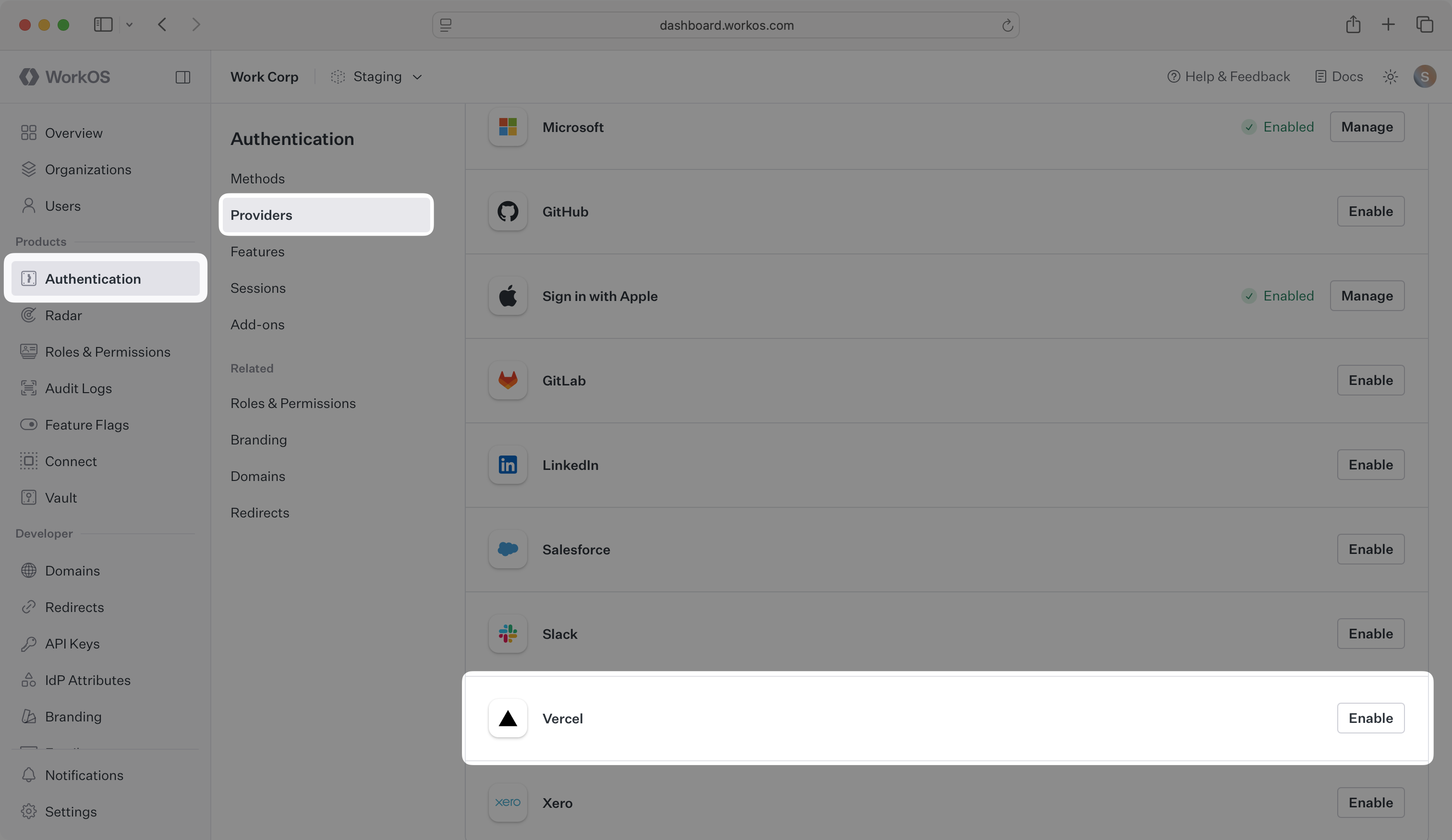
Click Enable. The Vercel OAuth configuration dialog will open. Locate the Redirect URI.
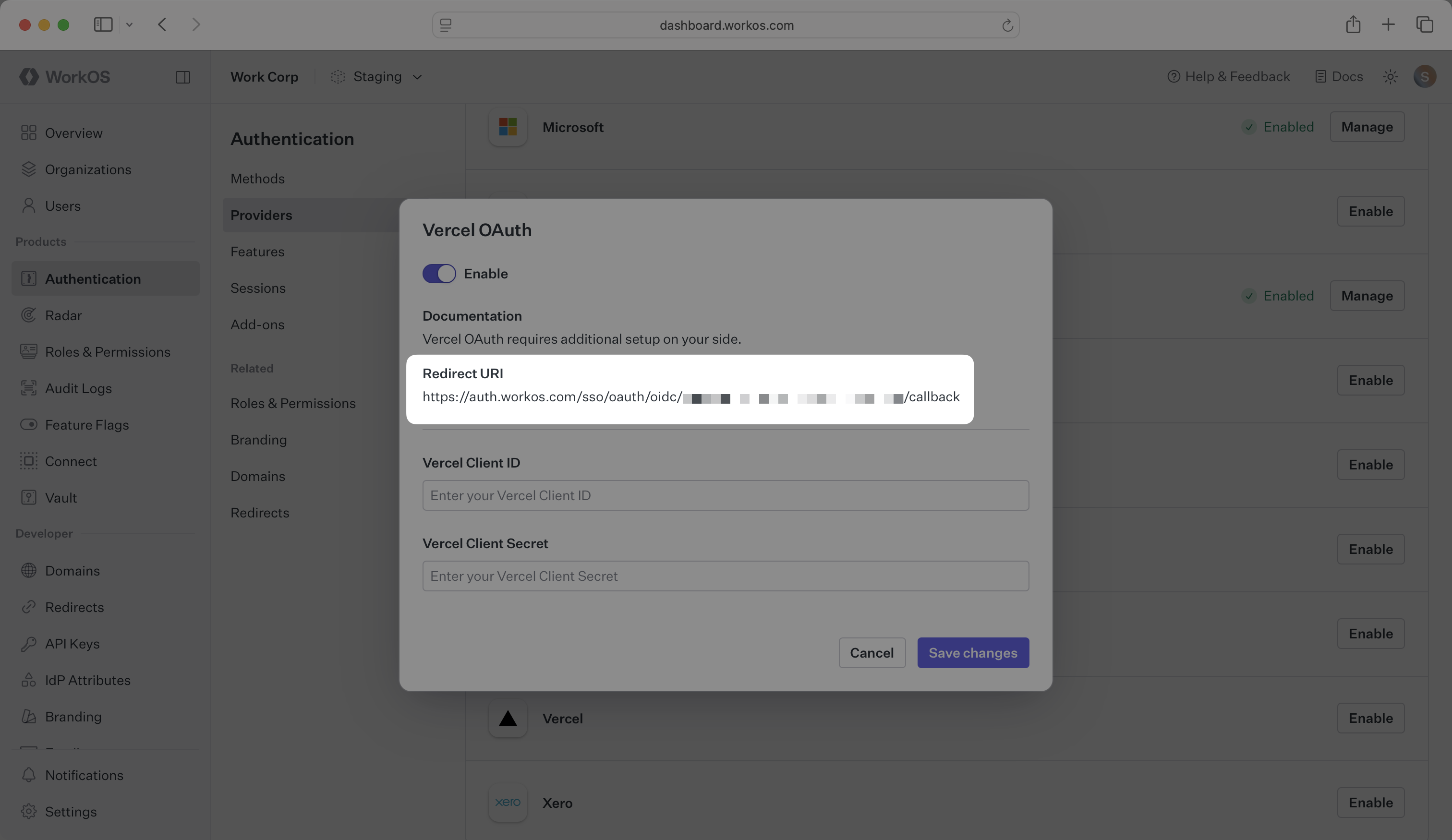
The Redirect URI serves as the destination for authentication responses and must be configured in your Vercel OAuth application as the Authorization Callback URL.
You will need to obtain two pieces of information from a Vercel OAuth application:
- Vercel Client ID: Application identifier from Vercel
- Vercel Client Secret: Authentication secret for the application
The following sections will guide you through creating an OAuth application in your Vercel account and generating these credentials.
Log in to your Vercel account and navigate to your team Settings tab.
In the left navigation menu, scroll down to select Apps. Click Create to create a new application.
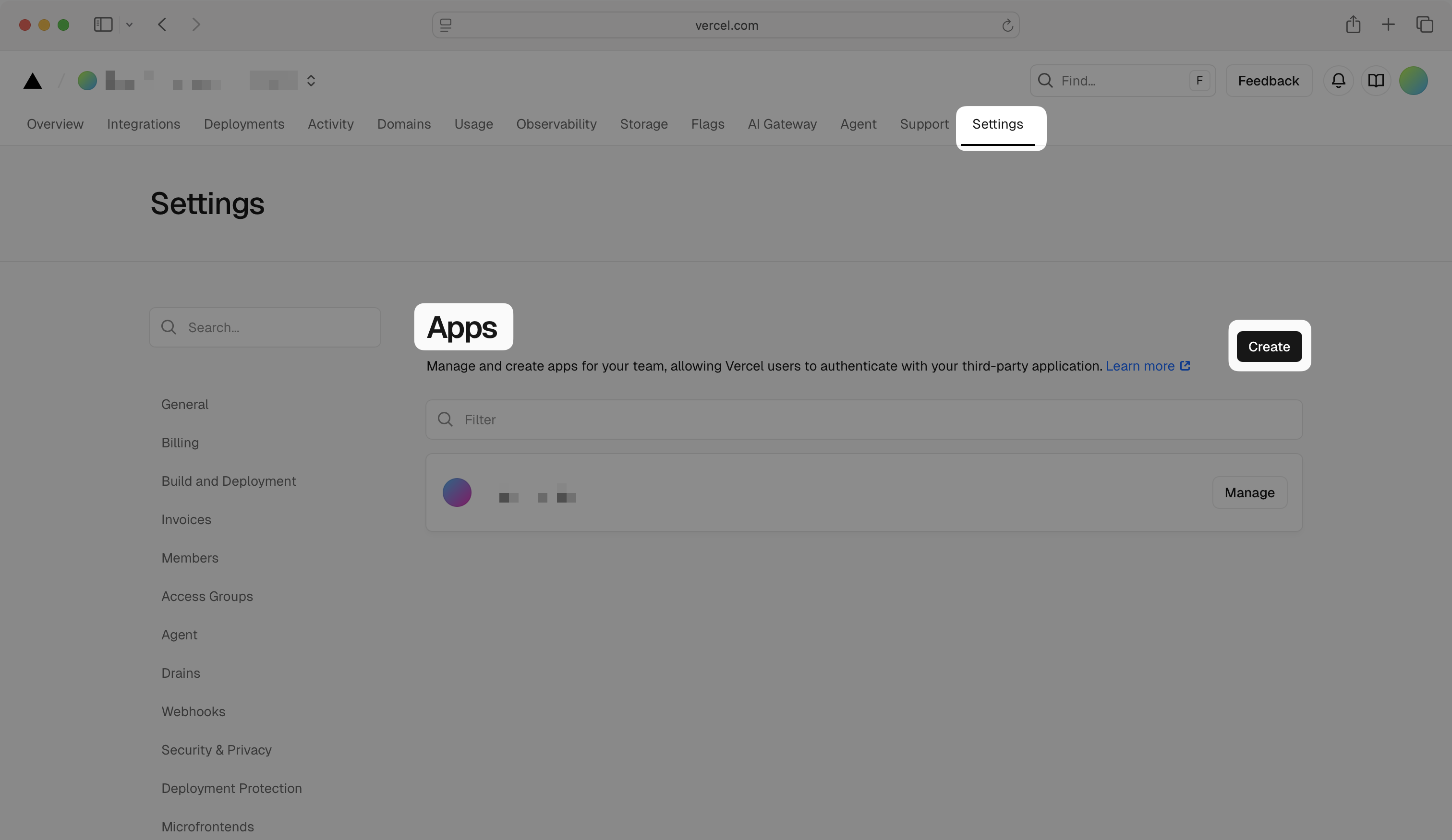
Choose a name for your app, optionally add a logo, and click Save.
In the left navigation menu, ensure that the General tab is selected. Scroll down to the Authorization Callback URLs section, and enter the Redirect URI from the Vercel OAuth configuration in the WorkOS Dashboard. Click Save.

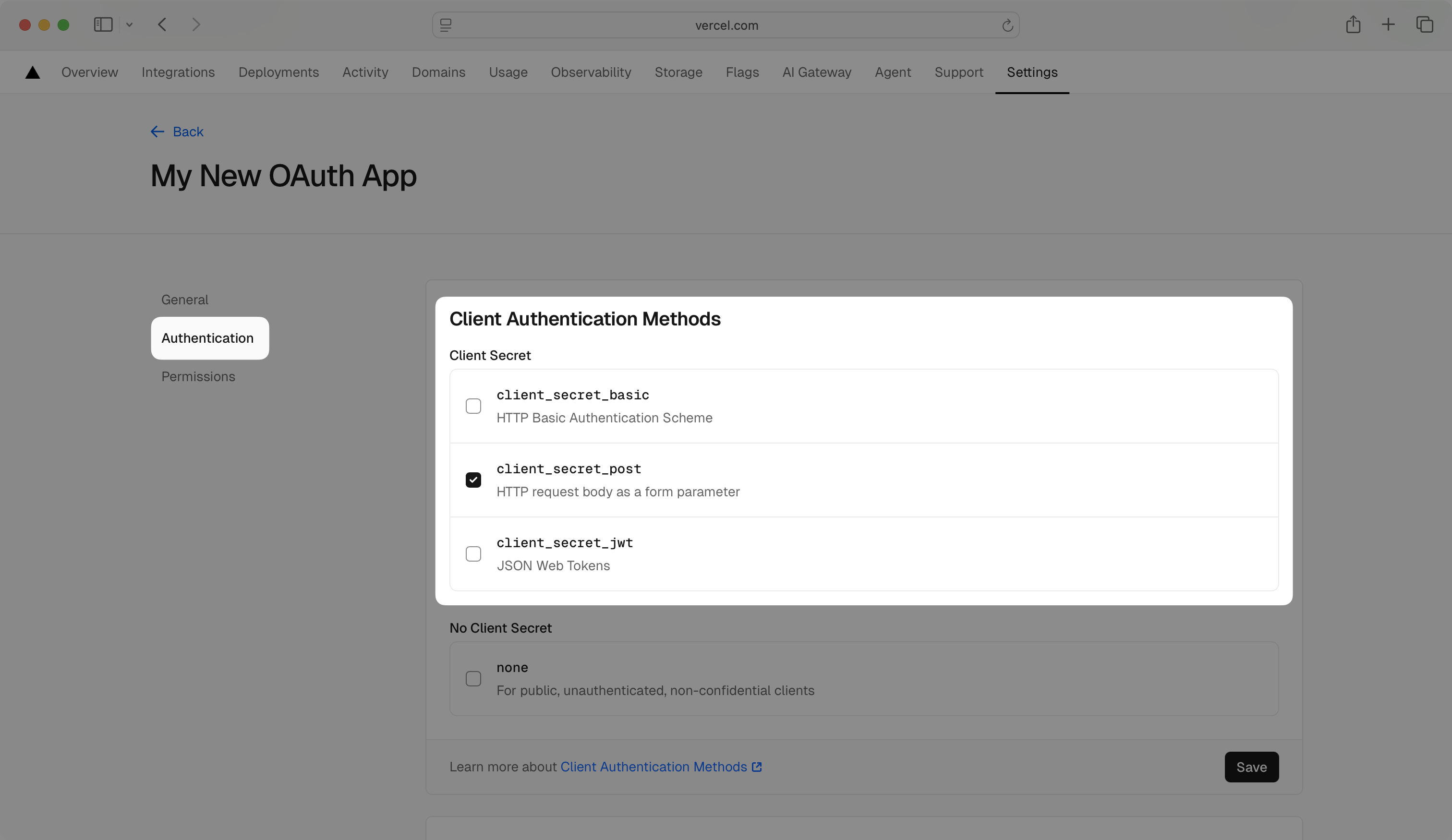
In the left navigation menu, select the Authentication tab. In the Client Authentication Methods section, make sure that client_secret_post is selected.
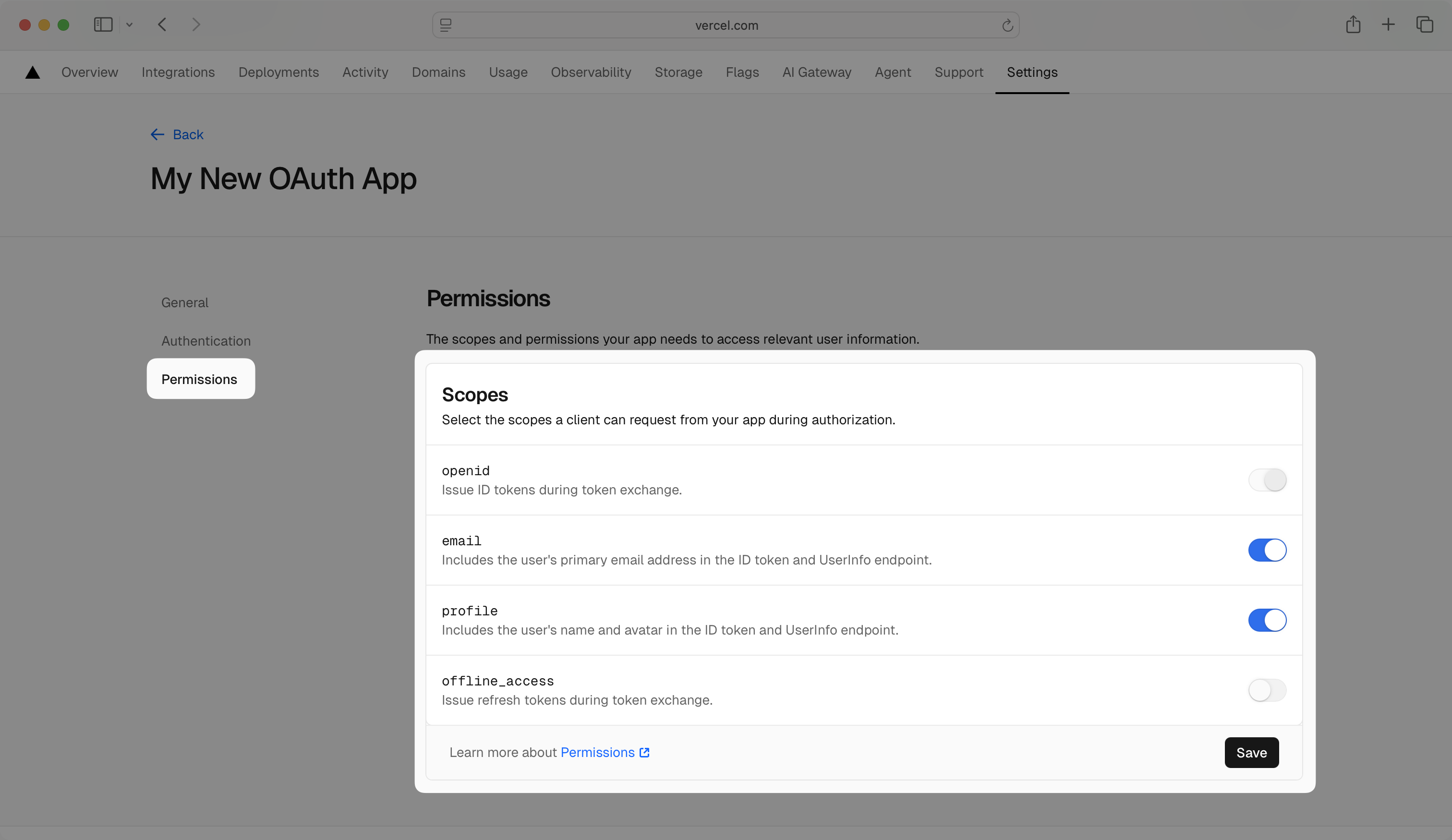
In the left navigation menu, select the Permissions tab. In the Scopes section, enable the openid, email, and profile scopes to allow the application to read basic user profile information. Click Save.
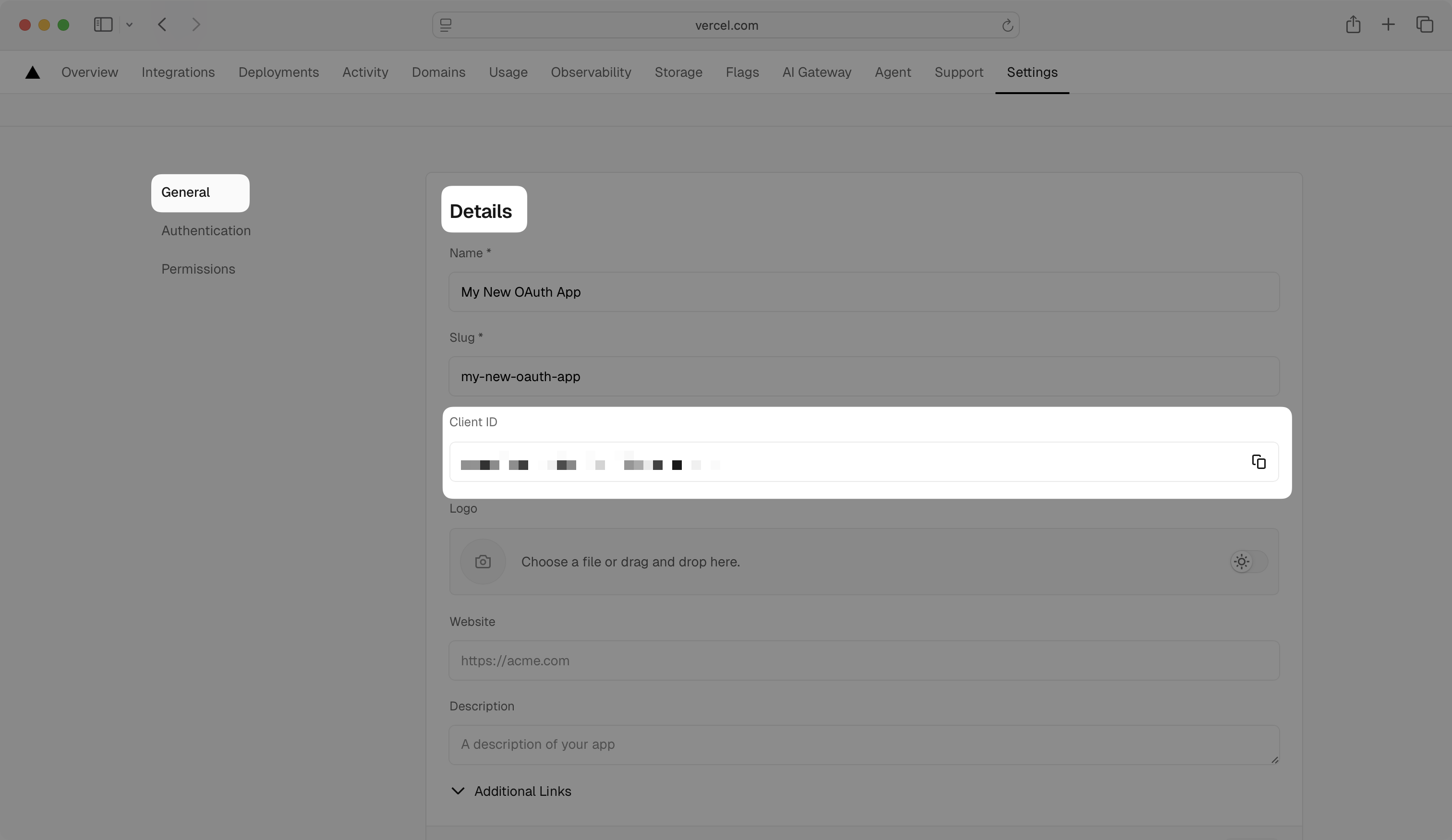
In the left navigation menu, select the General tab and view your Client ID in the Details section.
In the left navigation menu, select the Authentication tab. Scroll down to the Client Secrets section and click Generate to generate a new Client Secret.

Note the Client ID and Client Secret values as you’ll need them for the WorkOS configuration.
Important: The Client Secret is only shown once. Make sure to copy and store it securely.
Now that you have the Vercel Client ID and Vercel Client Secret from the previous step, return to the WorkOS Dashboard.
In the Vercel OAuth configuration dialog, enable the integration. Paste the credentials from Vercel into their respective fields in the WorkOS Dashboard.
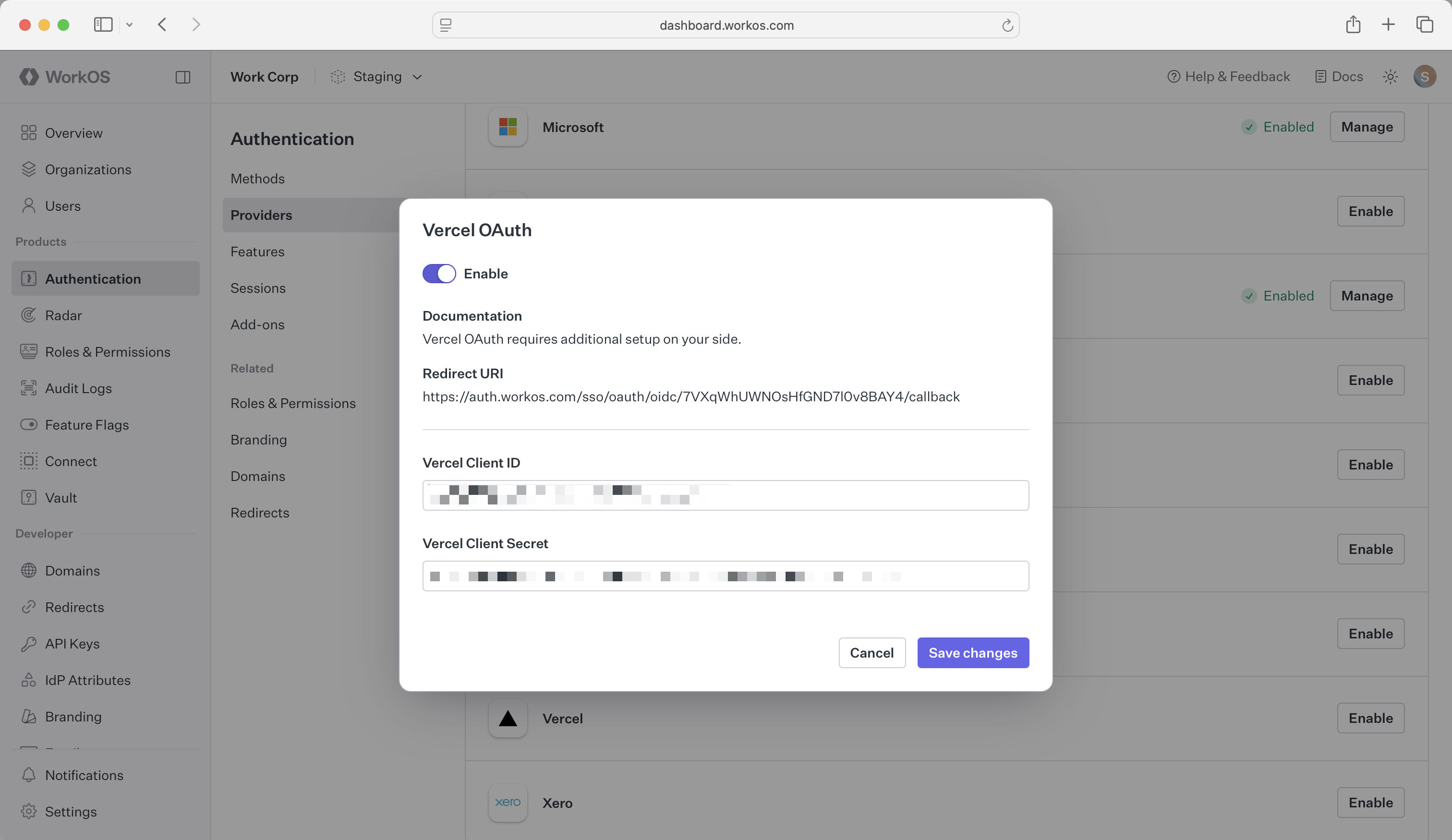
Click Save changes to complete the configuration.
You are now ready to start authenticating with Vercel OAuth. If you are using AuthKit’s Hosted UI, a Continue with Vercel button will be added to your login page.
If you are building your own authentication flows outside of AuthKit’s hosted UI, you will use the provider query parameter in the Get Authorization URL API endpoint to support global Vercel OAuth for any domain. The provider query parameter should be set to VercelOAuth.
How is the WorkOS Vercel OAuth integration different from implementing regular Vercel OAuth flow?
It’s the same Vercel OAuth flow as you could build yourself, but it’s encapsulated within WorkOS SSO. This means you don’t need to build it yourself. In addition to Vercel OAuth, you can use WorkOS SSO to support other identity providers, all with a single integration.
What is the provider query parameter and how is it used in the Vercel OAuth integration?
If you are building your own authentication flows outside of AuthKit’s hosted UI, you can use the provider query parameter in the Get Authorization URL API endpoint to support global Vercel OAuth for any domain. The provider query parameter should be set to VercelOAuth.
What scopes are required for Vercel OAuth?
The openid, profile, and email scopes are required to allow the application to read user profile information necessary for authentication. These scopes provide access to the user’s basic profile data and email address.